
KONSISE TAX COMPLIANCE CHECKING
Automated tax compliance checking for corporate companies & accounting firms.
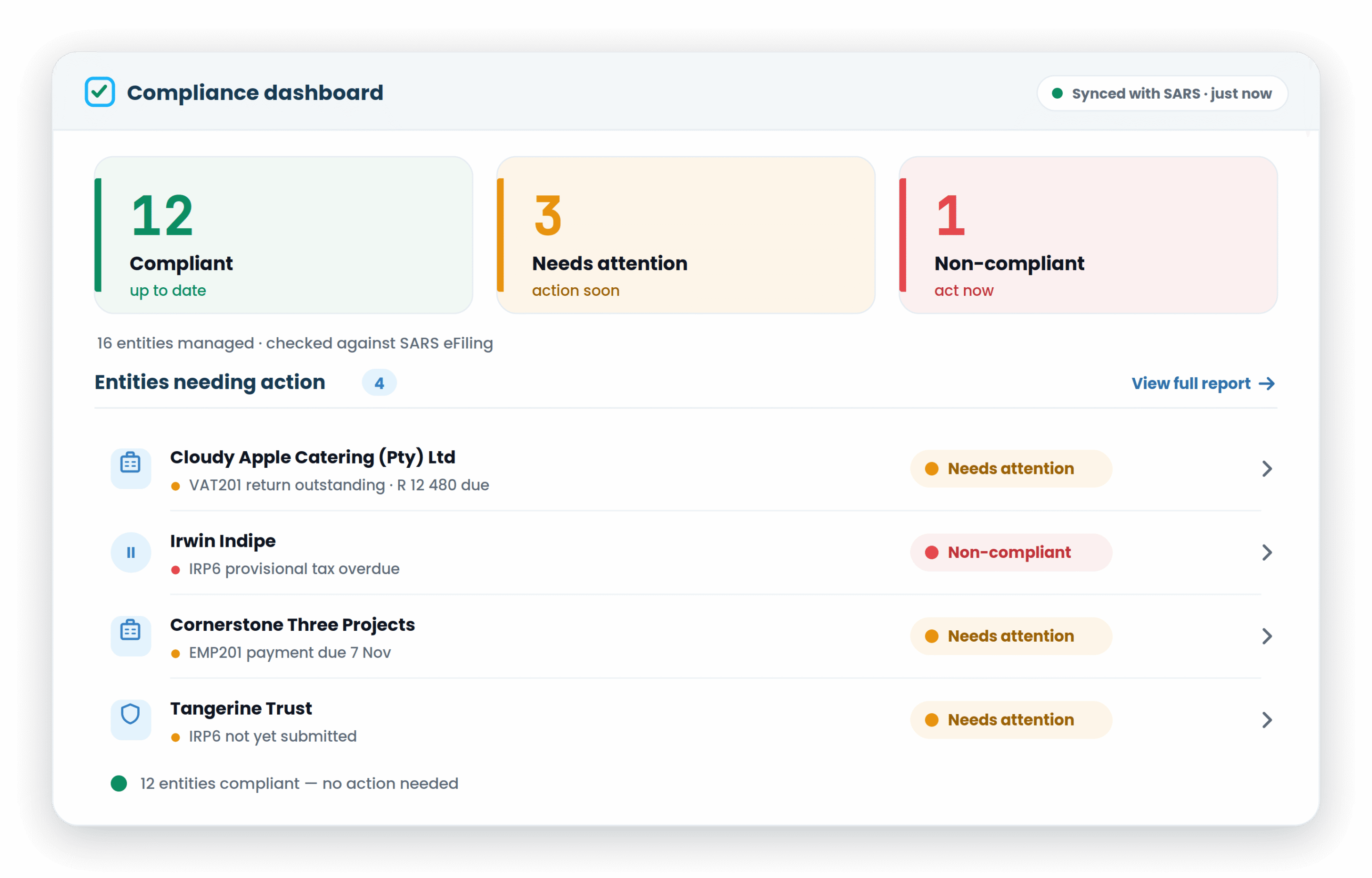
Stop logging into SARS eFiling profile by profile. Konsise checks every company, trust and individual’s SARS compliance automatically, and shows you, in green and red, exactly who needs attention and why.
WHY IT MATTERS
Manual compliance checking is slow, and it misses things
Checking SARS compliance manually means logging into one eFiling profile after another, copying statuses into a spreadsheet, and hoping nothing moved since last time. It’s laborious, it’s error-prone, and compliance is unforgiving. One outstanding return or one unpaid balance quietly turns an entity non-compliant, and you only find out when a penalty, an audit or a failed Tax Compliance Status check forces the issue. The more entities you manage, the worse the odds. Konsise replaces the logins and the spreadsheet with one dashboard that checks every entity against SARS automatically, so a problem is something you see, not something you discover later.
Why organisations and firms choose Konsise for compliance checking
Green and red, at a glance
Instant visual status for every legal entity, so you can spot an issue across a whole structure in seconds, no reading required.
No manual entry
Statuses, balances and payment details are pulled straight from SARS through Konsise’s eFiling integration. No logins, no re-keying, no spreadsheet.
Every entity type
Companies, trusts and individuals are each checked under their own rules. One dashboard for your whole portfolio.
The full history
Submission dates, amounts and payment details are there when you need them, without digging through historical files or eFiling.
Balances from the source
Cumulative balances for each integrated tax type come directly from SARS, so what you see is what SARS sees.
Centralised obligation tracking
Every financial obligation in one place, lowering your exposure to SARS penalties and interest and making internal audits and reviews straightforward.
Every entity, every major tax type
Konsise checks the returns and obligations that determine SARS compliance, across all your entities:
- VAT (VAT201) — submissions and payments
- Income tax (ITR14) — company returns and assessments
- PAYE (EMP201) — monthly employer declarations and payments
- Provisional tax (IRP6) — provisional submissions and payments
- Cumulative balances, outstanding returns and payment status for each
- A green / red status per entity, with the reason behind every red
Looking for the consolidated, shareable output? See the compliance report. Chasing submissions and payments as they happen? That’s SARS submission & payment monitoring.

SEE IT IN ACTION
Watch the compliance report in under 2 minutes
See exactly how the dashboard checks each entity, flags what needs attention, and lets you drill into the outstanding return, balance or payment behind it.
ENTERPRISE-GRADE SECURITY
Your tax data, protected and audit-ready
FAQ
Frequently asked questions about SARS tax compliance checking
How does Konsise simplify the tax compliance checking process?
We replace the need for manual SARS eFiling logins and spreadsheet tracking with an automated dashboard. You get instant visibility into the compliance status of all entities via a single, secure interface.
Can I see specific tax types, such as VAT and Income Tax?
Yes. The tool tracks and reports on cumulative balances and submission statuses for integrated tax types such VAT201, ITR14, EMP201, and IRP6 returns for all your registered entities.
Is this tool suitable for large accounting firms?
Absolutely. Konsise is designed to handle multiple clients and complex group structures, making it an essential tool for firms that need to perform high-volume compliance checks accurately and quickly.
How accurate is the data provided in the dashboard?
Because Konsise integrates directly with SARS, the data reflects real-time records. This eliminates the human error associated with manual data entry.
Does this replace my existing tax record-keeping?
It complements it. While this page focuses on checking status, our tax record-keeping module ensures all supporting documents are stored and contextualised for audit readiness.
How do the green and red indicators work?
They provide a simple visual cue: Green indicates an entity is fully compliant and up to date, while Red alerts you to outstanding submissions or payments that require immediate attention.
Book a personalised demo
Get a free 45-day trial. No credit card required
Use Konsise to streamline your regulatory teams, processes and data together in one place.